Choosing the Right Stand Angle
Our most popular standard desktop stand angles are 15°, 22.5°, 30°, 45° and 60°. Each offers a different balance between hands-on access, visibility, overall height and desk-space saving.
Lower angles generally preserve a more familiar playing position, while steeper angles bring controls and screens more directly into view and reduce the equipment’s front-to-back footprint.
Regardless of angle, all Studio Solutions desktop stands are fitted with non-slip surface pads and rubber feet to protect your equipment and help keep our stands securely positioned during normal use.
Jump to:
· 15°
· 22.5°
· 30°
· 45°
· 60°
15° — Subtle, Low-Profile Lift
A 15° stand gently raises the equipment without greatly changing its normal playing position. It is a good choice for devices that are kept near the front of the desk and used frequently by hand.
Best for: pad controllers, touch-controlled equipment, compact keyboards, drum machines and frequently adjusted synths.
Advantages:
Improves visibility of controls, labels and screens
Keeps pads, keys and touch surfaces easy to reach
Adds relatively little overall height
Retains a familiar hands-on playing position
Compromises:
Provides the smallest reduction in desk depth
May be too shallow for equipment positioned farther away
Offers less direct screen visibility than the steeper options
Choose 15° when you want a useful lift without substantially changing how the equipment feels to play.

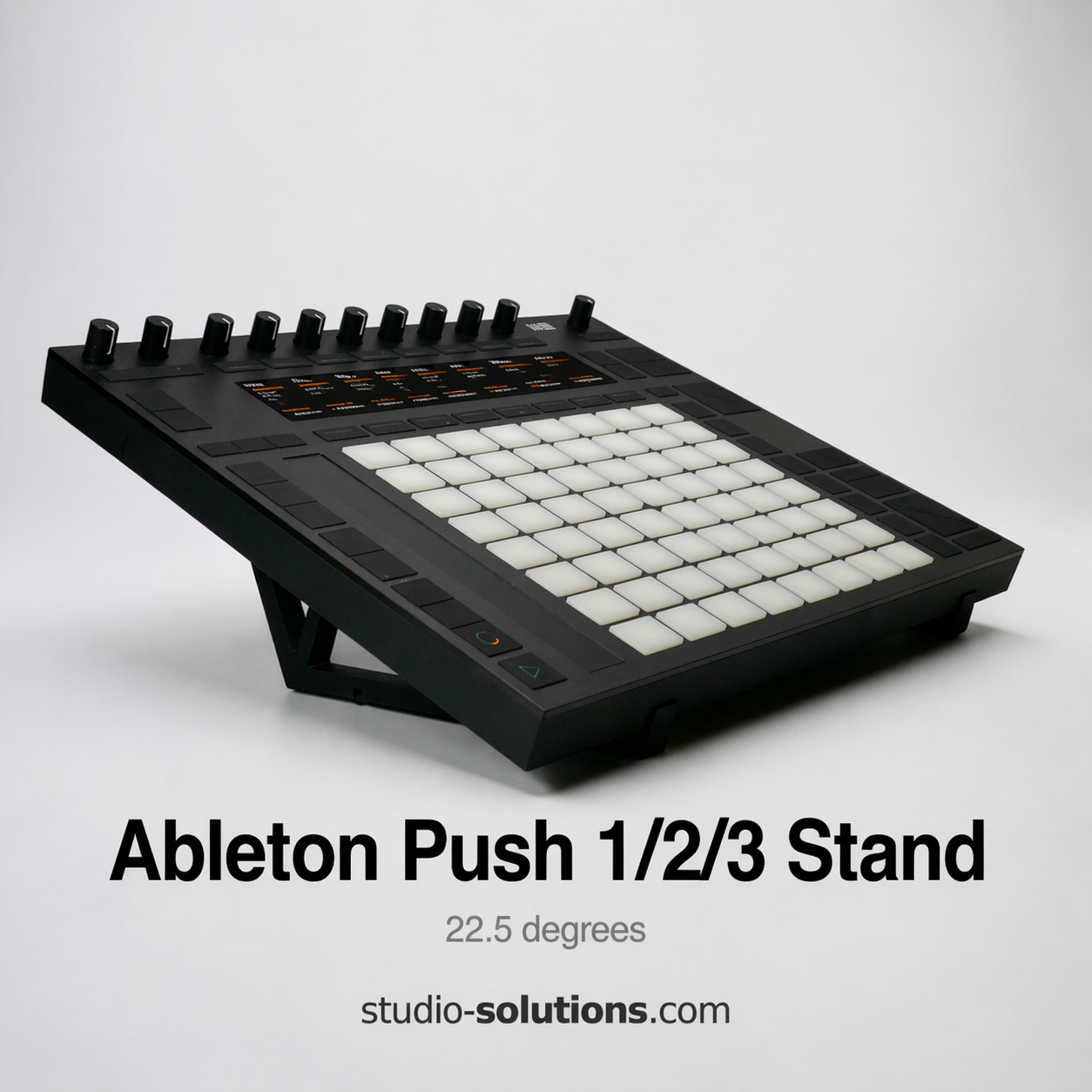
22.5° — Balanced Everyday Angle
A 22.5° stand provides a stronger viewing angle than 15° while retaining a comfortable and fairly natural working position. It is the versatile middle-ground choice for a wide range of desktop equipment.
Best for: synth modules, grooveboxes, sequencers, MIDI controllers, drum machines and general studio use.
Advantages:
Good balance between visibility and hands-on access
Brings controls and screens more clearly into view
Saves some desk depth without becoming particularly upright
Suitable for both programming and regular performance use
Compromises:
Not quite as natural as 15° for intensive keyboard or pad playing
Does not save as much space as 30°, 45° or 60°
May still leave deep equipment occupying considerable desk space
Choose 22.5° when you want a dependable all-round angle without strongly favouring either playing feel or maximum space saving.
30° — More Direct Performance Angle
A 30° stand brings the control surface more directly into view while remaining less upright than a 45° stand. It provides a useful step up in visibility and desk organisation without moving fully into a high-angle setup.
Best for: grooveboxes, drum machines, sequencers, controllers, compact synths and equipment used for active programming or performance.
Advantages:
Clearer view of pads, controls and screens
Greater desk-depth saving than 15° or 22.5°
Keeps equipment readily accessible for hands-on use
Useful compromise between a general-purpose and high-angle stand
Compromises:
Raises the rear of the equipment more noticeably
Can feel steep for forceful pad playing or piano-style keyboard use
Saves less desk depth than 45° or 60°
Desk height and seating position have a greater effect on comfort
Choose 30° when you want more visibility and space saving than 22.5°, but do not want the equipment positioned as upright as 45°.

45° — High Visibility and Strong Space Saving
A 45° stand places the controls at a much more upright angle. It can significantly reduce the front-to-back footprint while keeping screens, sequencing controls and parameters clearly visible.
Best for: grooveboxes, sequencers, drum machines, mixers, compact synths and equipment positioned behind another device.
Advantages:
Strong improvement in control and screen visibility
Meaningful reduction in occupied desk depth
Useful for compact or multi-row equipment layouts
Provides direct access for sequencing, editing and lighter performance use
Compromises:
Less natural for keyboard playing or forceful pad performance
Adds considerably more overall height
Requires suitable clearance for rear connections and cables
Can obscure equipment positioned immediately behind it
Choose 45° when clear visibility and desk-space saving are more important than maintaining a shallow, conventional playing position.

60° — Upright Display and Maximum Space Saving
A 60° stand places the equipment in a near-upright position. It offers the greatest reduction in front-to-back desk footprint and makes strong use of vertical space.
Best for: rear-row equipment, compact multi-device setups, sequencers, sound modules and devices viewed or programmed more often than they are played forcefully.
Advantages:
Greatest desk-depth saving of the standard angles
Brings screens, controls and sequencing layouts prominently into view
Makes efficient use of vertical space
Useful for dense or restricted studio setups
Compromises:
Least natural option for keyboards, pads and touch surfaces requiring downward pressure
Creates the greatest overall height
Needs careful allowance for rear sockets and connected cables
A lower angle will usually suit intensive hands-on performance better
Choose 60° when an upright display position and the smallest possible desk footprint are the main priorities.
